SECURE ENERGY
Secure Energy
Smarter logistics + data-informed operations · Bringing shipment management, operational data, and complex transportation workflows into one intuitive digital experience.
Energy logistics and distribution teams rely on accurate account, credit, and shipment data to keep operations moving safely and on schedule. Yet critical workflows across tickets, source locations, material approvals, sales, and customer accounts were fragmented across rigid tables and manual checks. I redesigned the Secure Energy operational portal to make dense enterprise data easier to scan, reduce errors, and help teams make faster, more confident decisions.
- Date
- September 2026
- Role
- Product Designer
- Domain
- Energy Services · Logistics & Transportation Operations
- Discipline
- UX/UI Design
- Services
- Content Strategy · UI/UX · Enterprise Data Tables · Workflow Design
01
Overview
Transform dense, high-stakes logistics and account management workflows into a clear, reliable operational workspace where teams can act quickly without second-guessing critical data.
Secure Energy's internal platform supports day-to-day energy distribution and transportation operations—spanning tickets, source locations, material approvals, sales, and customer account management.
Because every record carries operational, financial, and compliance implications—such as credit approvals, renewals, denials, and watch-list flags—clarity and error prevention were just as important as speed.
The project focused on restructuring the workspace around real operational domains and designing scannable, action-oriented interfaces that support daily decision-making.
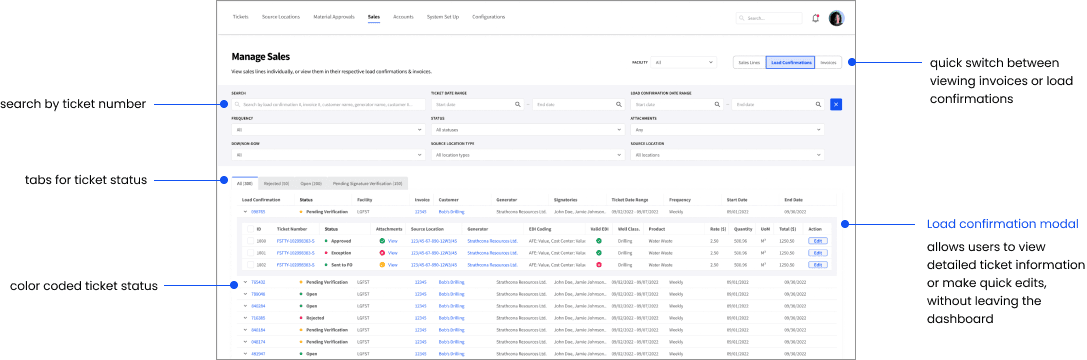
- Account management with instant search, account type & status filtering
- Scannable credit status and watch-list semantics at a glance
- Clear confirmation and feedback states for high-frequency admin tasks
02
Context & Problem
Uncovering where operational friction, buried status signals, and disconnected modules were slowing teams down.
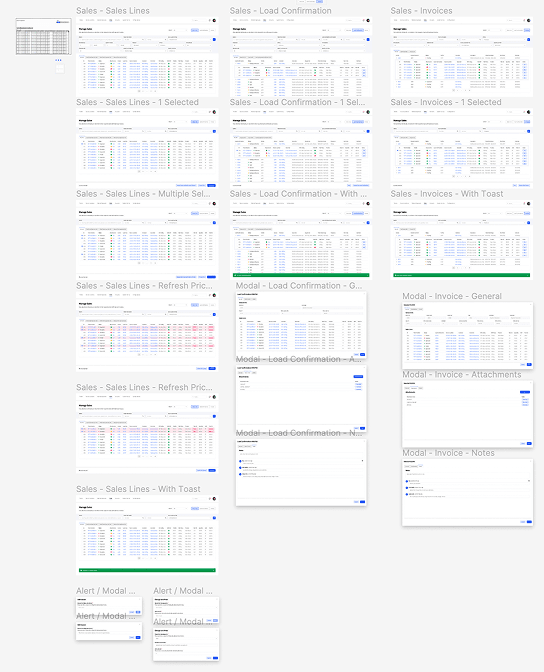
Operational teams were working across tickets, source locations, material approvals, sales, and accounts with complex transportation and credit rules connecting them.
Finding the right account or verifying whether a customer was approved, pending renewal, or flagged on a watch list required scanning dense rows without clear visual hierarchy or targeted filters.
When mistakes happened—such as overlooking a watch-list flag or misreading an account state—teams faced costly delays, rework, and manual follow-ups across departments.
03
Process & System Decisions
Organizing complex operational domains into repeatable table, filter, and feedback patterns.
I mapped how coordinators and operations specialists moved between tickets, approvals, and account records during daily tasks, identifying where repetitive navigation hops and inconsistent table layouts caused friction.
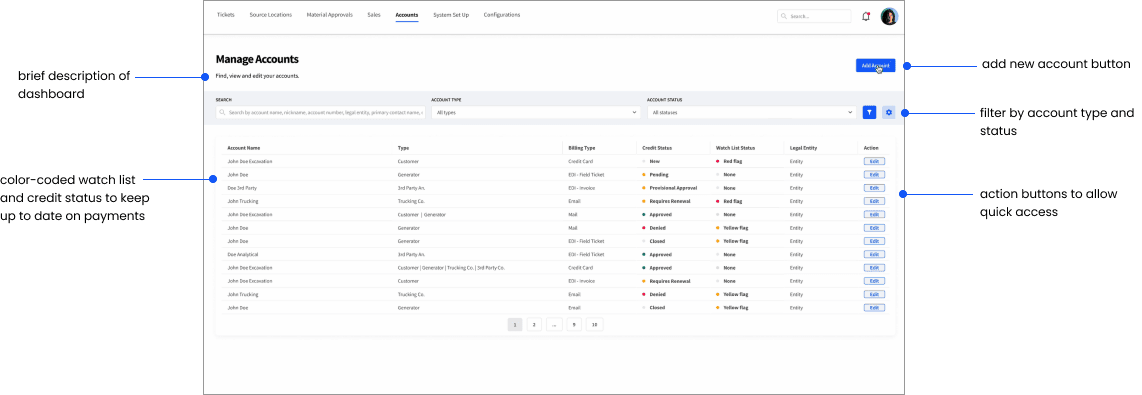
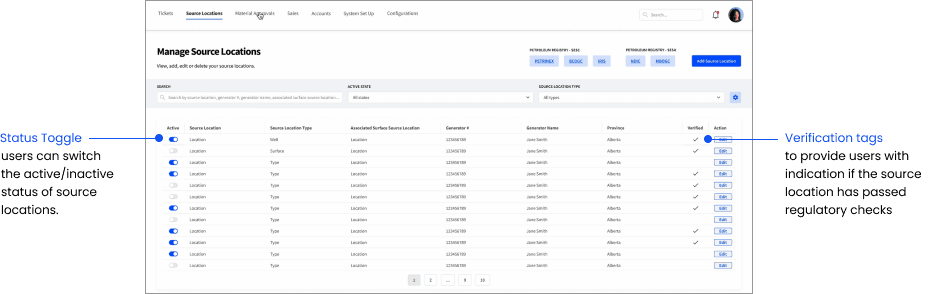
I organized the top navigation around core operational domains (Tickets, Source Locations, Material Approvals, Sales, Accounts, and System Set Up) and standardized a reusable filter-and-table pattern across modules.
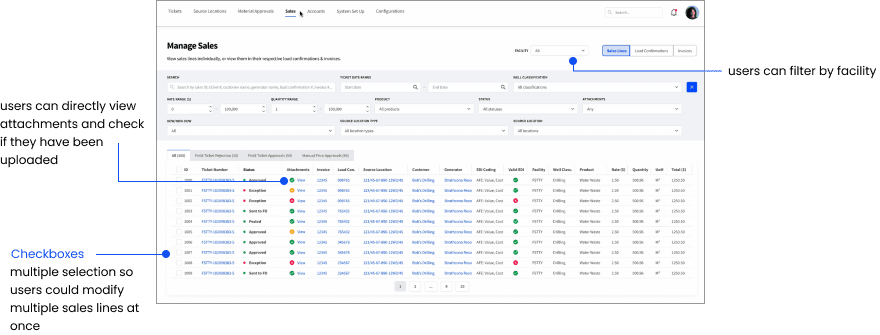
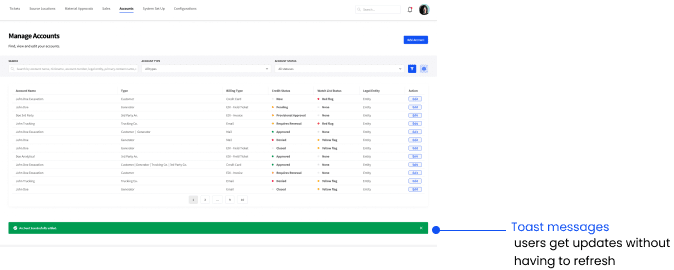
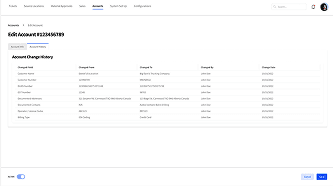
Within Manage Accounts, paired status dots with explicit text labels for Credit Status (Approved, Pending, Renewal, Denied, Closed, New) and Watch List flags (Red flag, Yellow flag, None), placed search and multi-facet filters directly above the columns they control, and added inline row actions alongside clear confirmation banners for account updates.
In high-trust operational software, clarity is a safety feature—users shouldn't have to hunt to know whether an account is approved, pending, or flagged.
- Domain-Driven Top Navigation
- Reusable Search & Multi-Facet Filter Bar
- High-Contrast Status & Watch-List Semantics
- Inline Row Actions & Confirmation Feedback
04
Outcomes & Impact
Streamlined operational workflows and clearer data visibility helped teams make better decisions faster and improved operational efficiency by roughly 30%.
By unifying navigation across operational domains and making account, credit, and watch-list statuses immediately readable, teams spent less time searching through fragmented records and verifying routine details.
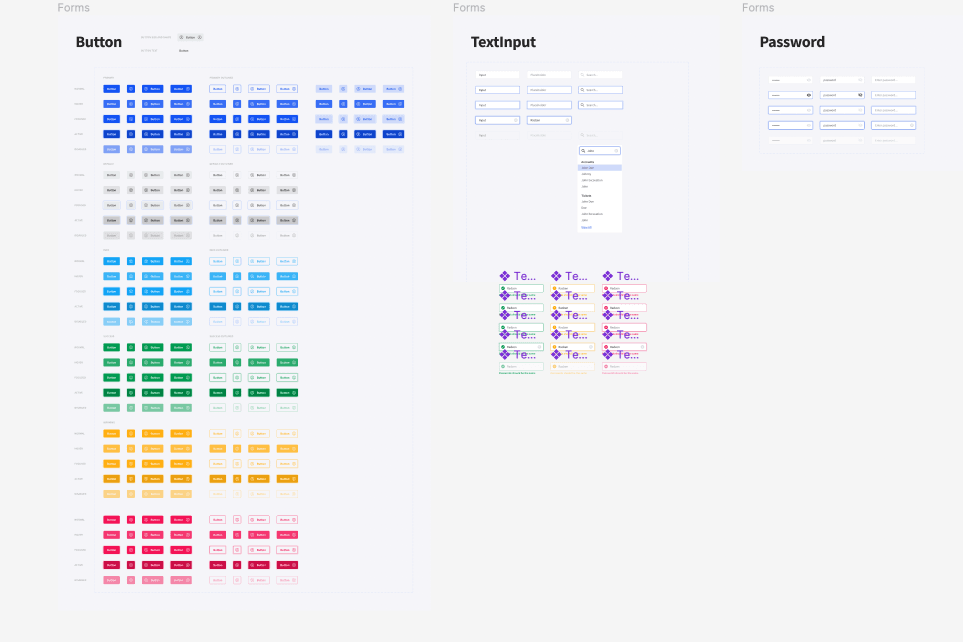
Standardized table patterns, direct filtering, and clear task feedback reduced navigation hops and helped prevent avoidable data-entry and status-verification errors.
From a UX and data perspective, the project reinforced how thoughtful information hierarchy and consistent system components turn complex operational data into a dependable daily tool.


- Operational Efficiency Improvement
- ~30%Faster record lookup, clearer status verification, and fewer workflow hops across logistics and account management.