MARY KAY GLOBAL
Mary Kay Global / MyCustomer+
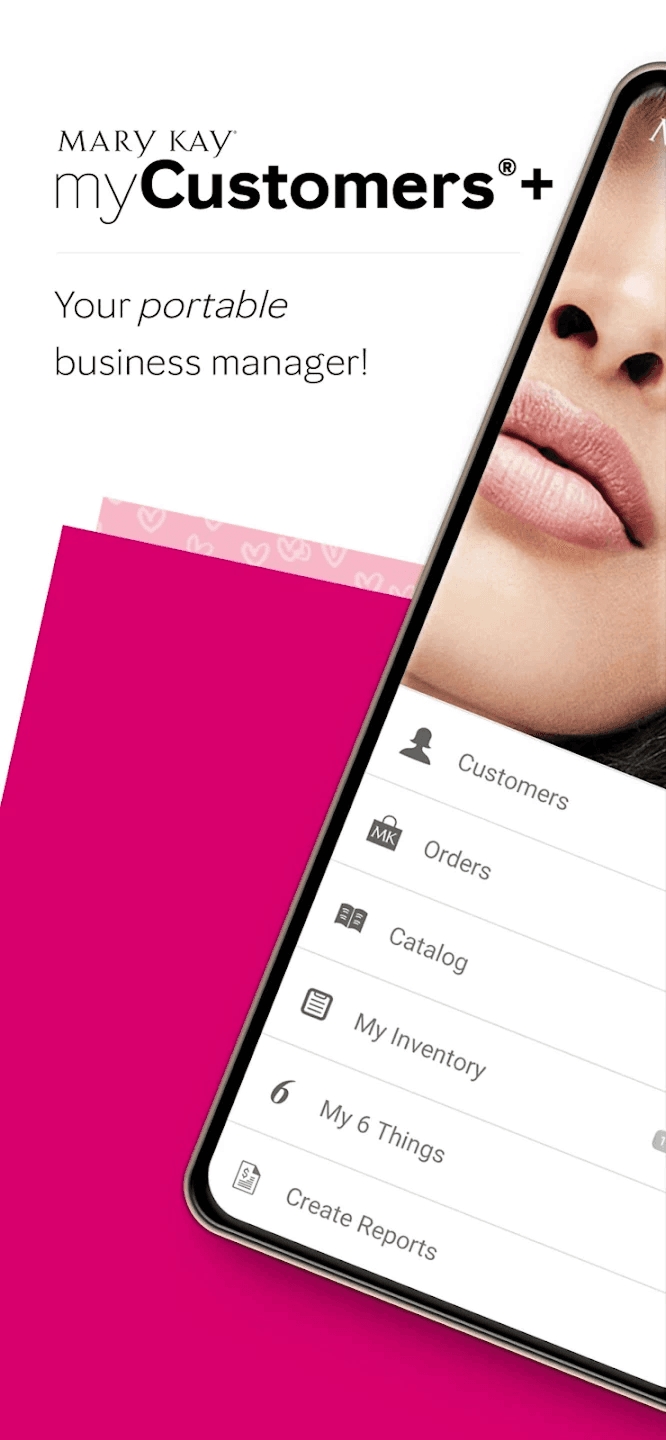
Making Customer Relationships Easier to Manage · A mobile experience that helps Independent Beauty Consultants stay organized, manage sales, and keep up with their customers.
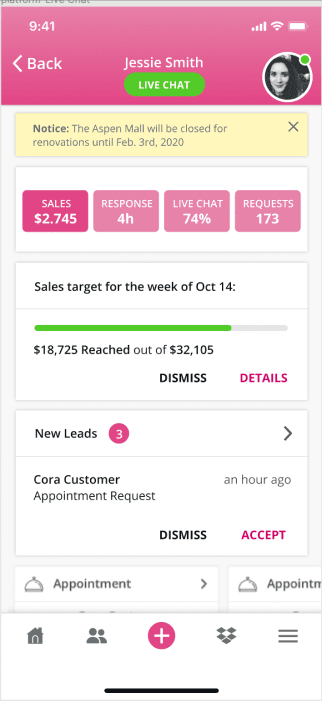
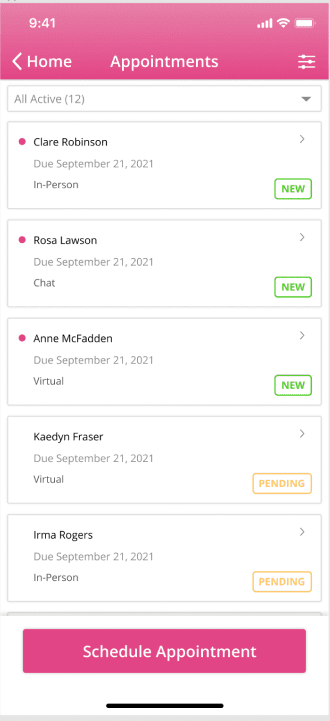
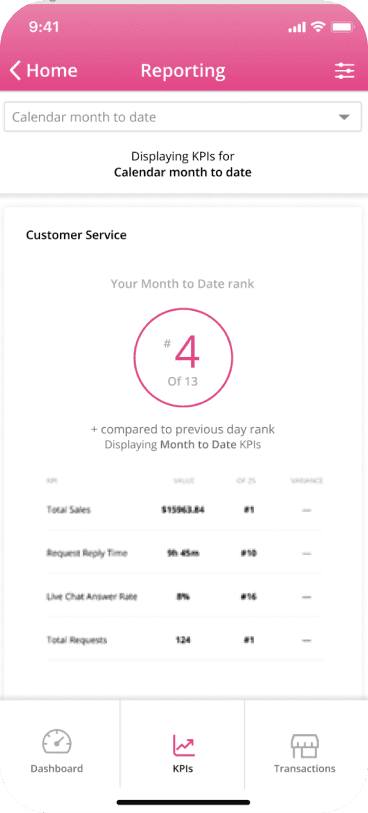
For Mary Kay's Independent Beauty Consultants, managing a business means keeping track of customers, purchase history, orders, and follow-ups, often all at once. The MyCustomer app brings these responsibilities together, with a focus on making customer and sales data easier to navigate, everyday tasks more efficient, and the overall experience more intuitive.
- Date
- September 2026
- Role
- Product Designer
- Domain
- Direct Selling · Beauty & Retail Operations
- Discipline
- UX/UI Design
- Services
- Content Strategy · UI/UX · Framer Development
01
Overview
How do you bring a traditionally personal, face-to-face business into a more digital world without losing what makes it work?
Mary Kay's direct-selling model depends on the relationship between consultants and their customers. But running that business involved more than making recommendations.
Consultants also needed to keep track of customers, monitor products, manage sales, and find ways to connect with people who weren't always available to meet in person.
The opportunity wasn't simply to improve an existing interface. It was to explore how a mobile app could address those challenges and give consultants more flexibility in how they ran their businesses.
Rather than starting with a predetermined set of features, I focused on understanding where consultants were losing time, what they found difficult to manage, and which parts of the traditional selling experience could translate into a digital product.
02
Context & Problem
Finding the problems worth solving before deciding what the app should do.
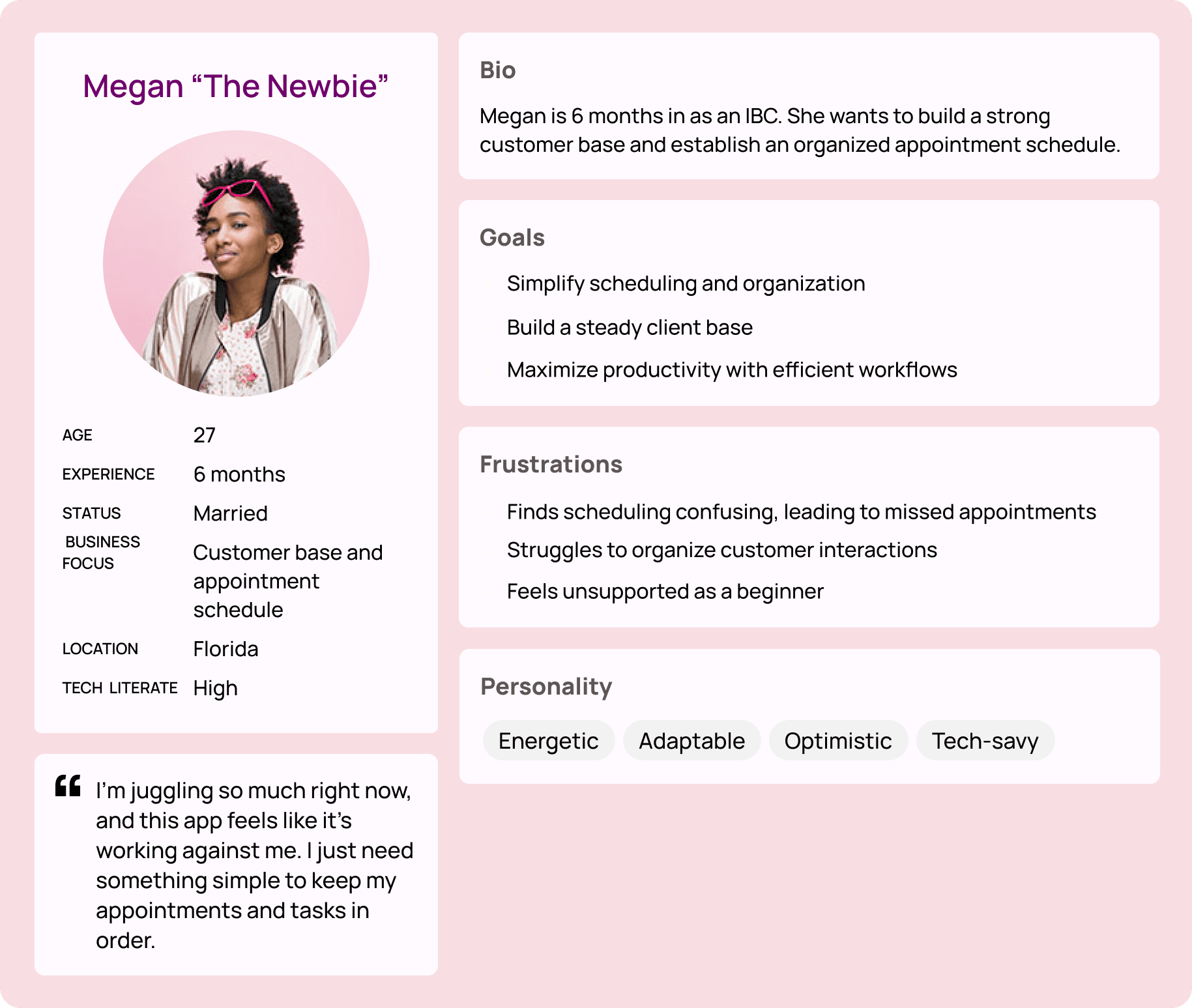
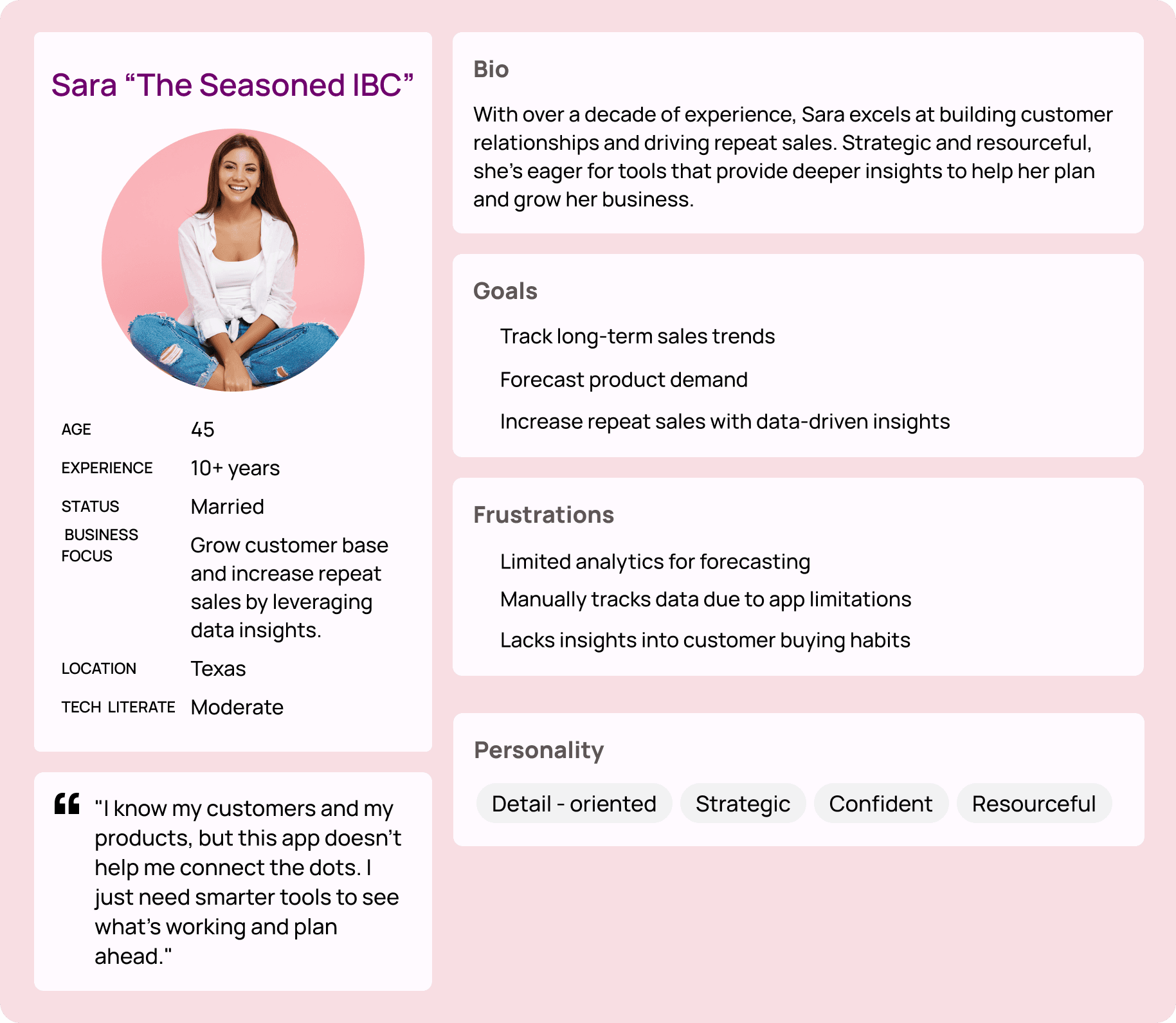
I started by researching how consultants managed their businesses and maintained relationships with customers. Through interviews, surveys, and journey mapping, I looked for recurring frustrations and opportunities that weren't being addressed by their existing tools.
One issue was how much information consultants had to keep track of outside of the actual sale. Remembering customer preferences, keeping up with products, and managing follow-ups all required time and attention.
Another consideration was how dependent the business was on being physically present. Personal consultations were a major part of the Mary Kay experience, but that also limited when and how consultants could connect with customers.
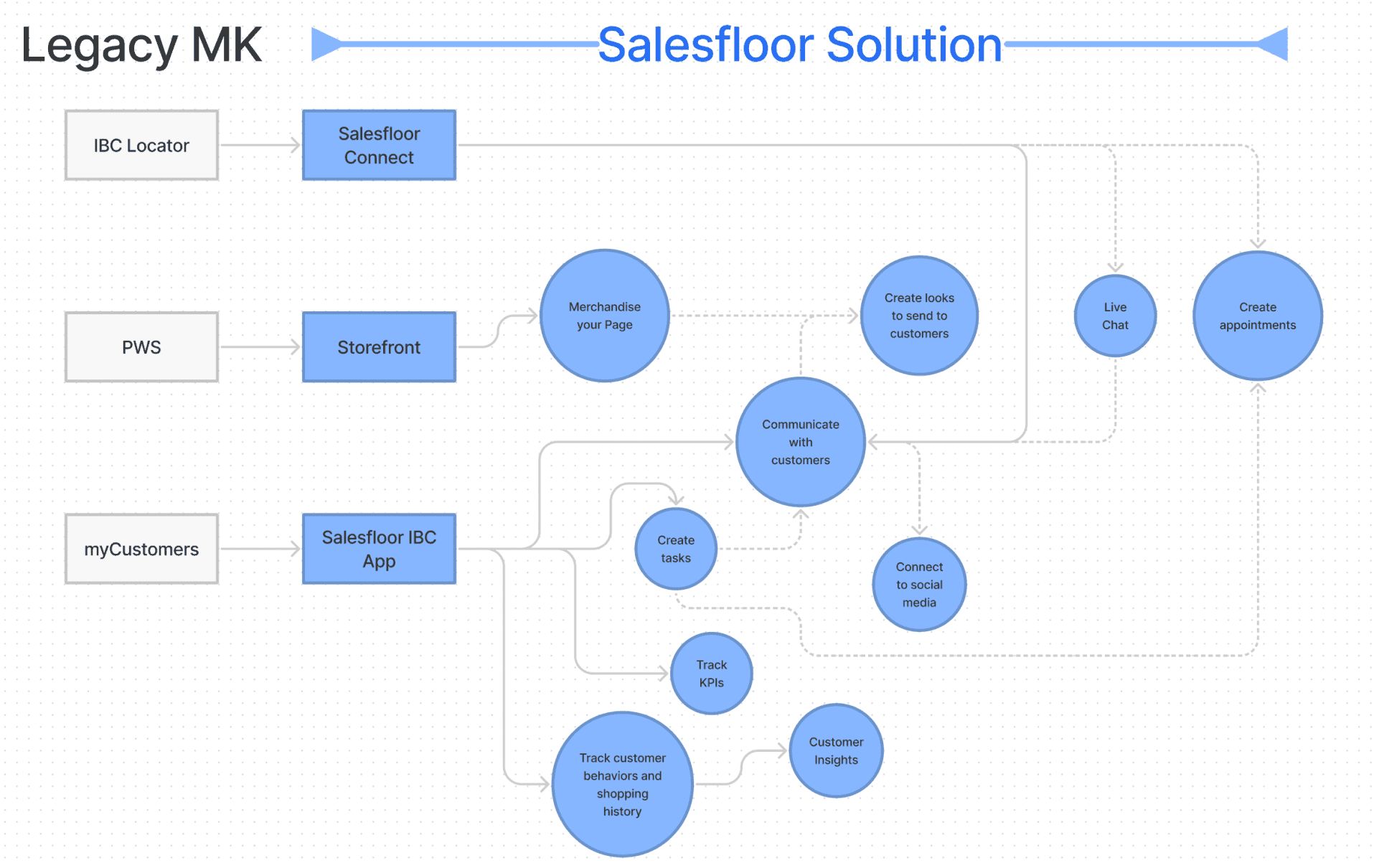
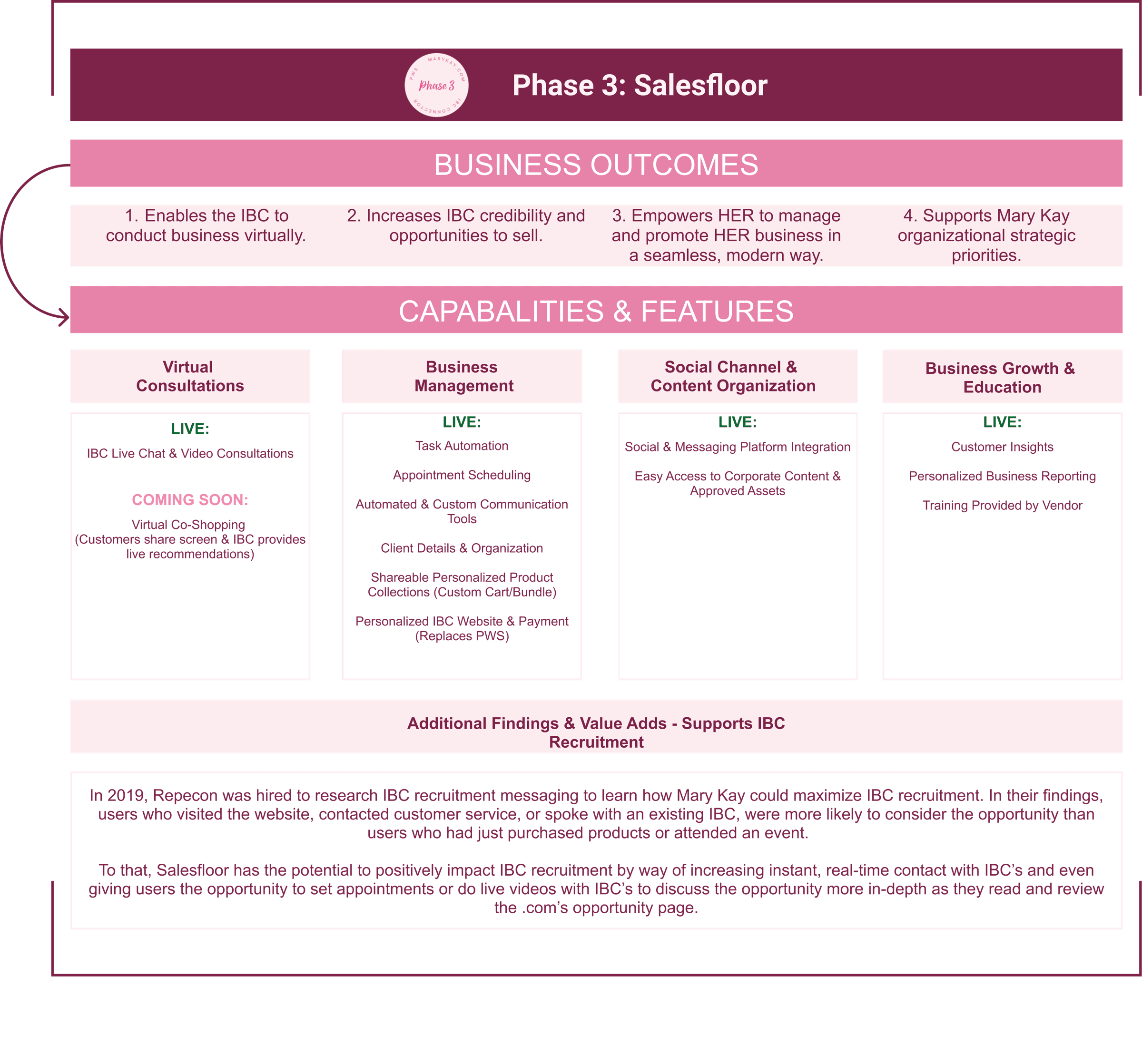
I used these findings to explore different product opportunities, evaluating which ideas could solve meaningful problems rather than simply adding more functionality. Customer management, inventory visibility, and virtual consultations began to emerge as areas where a mobile experience could make a practical difference.
03
Process & System Decisions
Turning research findings into product ideas, then figuring out which ones were worth developing.
I started exploring feature concepts based on the challenges uncovered during research. One recurring issue was how much consultants had to keep track of outside of selling, from customer preferences and previous purchases to inventory and follow-ups. This led me to explore a centralized customer management experience and inventory tools that could take some of that manual work off their hands.
Live video consultations were another area I explored. Since face-to-face interactions were such a big part of Mary Kay's business, I wanted to understand how we could bring that experience online without making it feel like a standard video call. I experimented with different interface layouts, considering how consultants could discuss products, make recommendations, and maintain a natural conversation.
I worked through wireframes, interactive prototypes, and design iterations to refine these ideas, paying attention to mobile usability, feature discoverability, and how the experience could accommodate consultants with different levels of technical confidence.
What if consultants could offer the same personal experience without needing to be in the same room?
01Customer Management
Making Customer Data Actionable
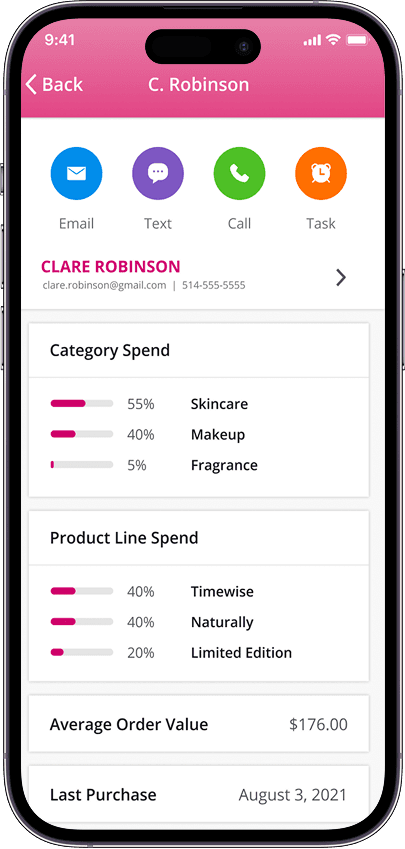
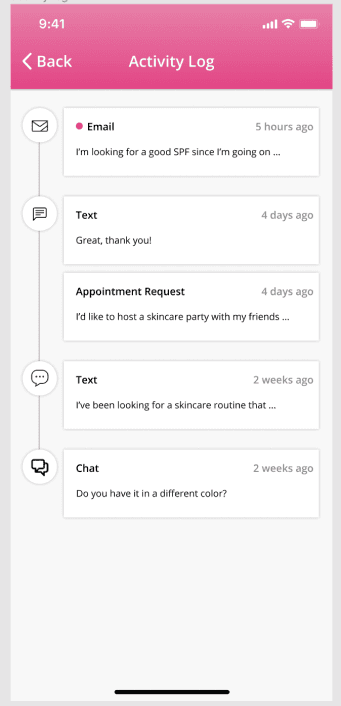
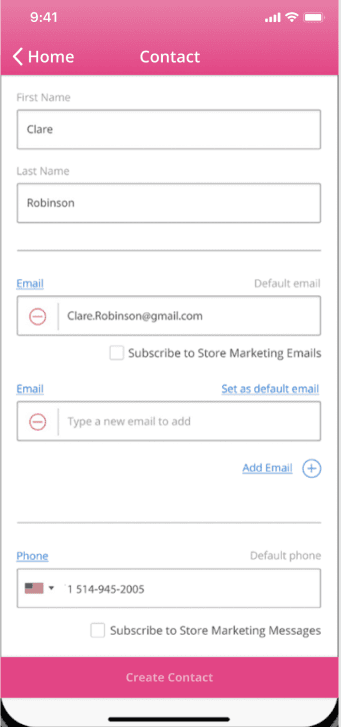
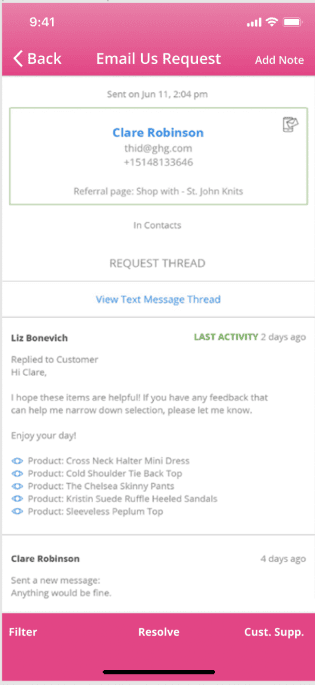
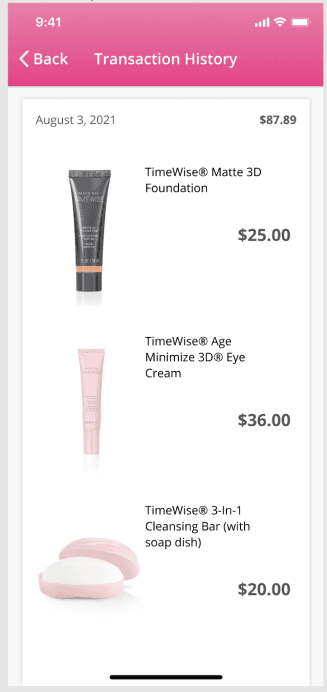
Rather than treating customer profiles as static contact records, I designed them around the information consultants needed when preparing for a sale or following up with a customer. Each profile brought together contact details, purchase history, and product preferences, with the most relevant information prioritized through a clear visual hierarchy. I explored how previous purchases and customer activity could be presented in a way that helped consultants recognize buying patterns and make more informed recommendations, without requiring them to interpret complicated reports.
02Inventory Tracking
Making Stock Levels Easier to Manage
For inventory management, I focused on giving consultants a clear view of their available products, quantities, and stock status. The interface was organized around a searchable product list, with product imagery, names, and quantities displayed together so consultants could quickly identify what they had on hand. I designed the experience to make updating stock quantities straightforward, using direct actions and clear feedback so consultants could keep their records current. Stock status indicators helped distinguish products that were available from those running low, reducing the need to manually check individual records. The challenge was presenting enough information to support inventory decisions without making the mobile interface feel like a spreadsheet.
03Sales & Order Management
Reducing Friction Between Product Selection and Purchase
I approached the sales experience by considering how consultants would create and manage orders while interacting with customers. The interface needed to make it easy to locate products, adjust quantities, review pricing, and confirm an order without losing track of the transaction. I explored a structured order creation experience with a clear product selection stage, an editable order summary, and a final review before confirmation. This gave consultants visibility into what they were selling while reducing the likelihood of mistakes during order entry.
04Live Video Consultations
Designing Beyond a Standard Video Call
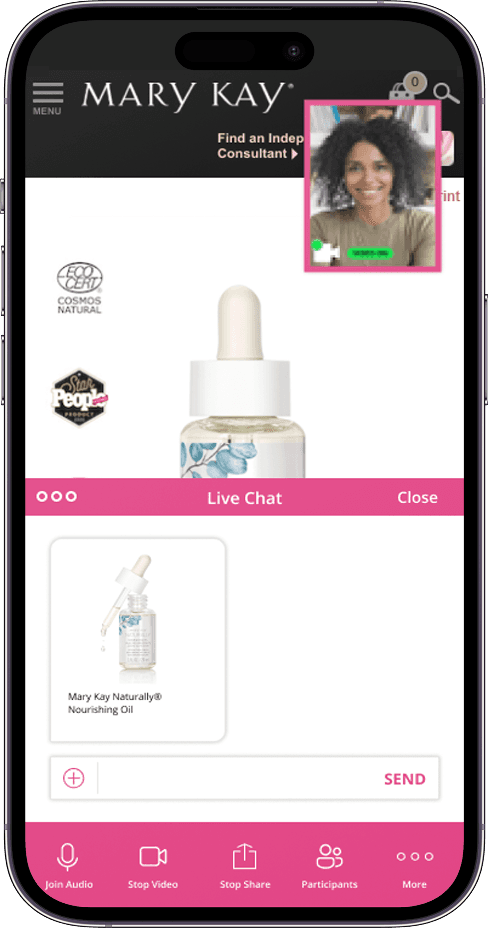
Live video calling was one of the more interesting parts of the product because it introduced real-time interaction into an otherwise task-based app. I explored different layouts for the consultation interface, paying attention to the placement of essential controls, the visibility of the customer, and how the design could accommodate product-related conversations without overwhelming the screen. The goal was to make the experience feel like a personal beauty consultation rather than a traditional meeting interface. This meant considering different interaction states, minimizing unnecessary controls, and keeping the focus on the conversation itself.
04
Outcomes & Impact
Turning everyday challenges into features that gave consultants more control over how they managed and grew their businesses.
The biggest achievement of this project was translating the challenges consultants faced into practical product features, rather than simply improving an existing interface.
Customer profiles brought purchase history and preferences into one place, giving consultants a clearer picture of their customers. Inventory tracking made stock information easier to access and manage, while the sales experience provided a more structured way to handle orders.
Live video consultations were particularly significant. They extended Mary Kay's relationship-driven selling model beyond in-person appointments, giving consultants another way to connect with customers and provide personalized recommendations.
From a UX perspective, the project strengthened how I approached feature discovery, data-informed design, and complex mobile interactions. Each feature was designed around a specific user need, with attention to information hierarchy, usability, and the decisions consultants needed to make throughout their day.